How to listen to EPUB ebooks you already own
Most books never get an audiobook. How to have an EPUB read aloud on Mac, iPhone, or iPad, which files work, and where to find good free ones.
In short: Any DRM-free EPUB can be read aloud with natural voices, remember your place, and become an M4B audiobook with chapters.
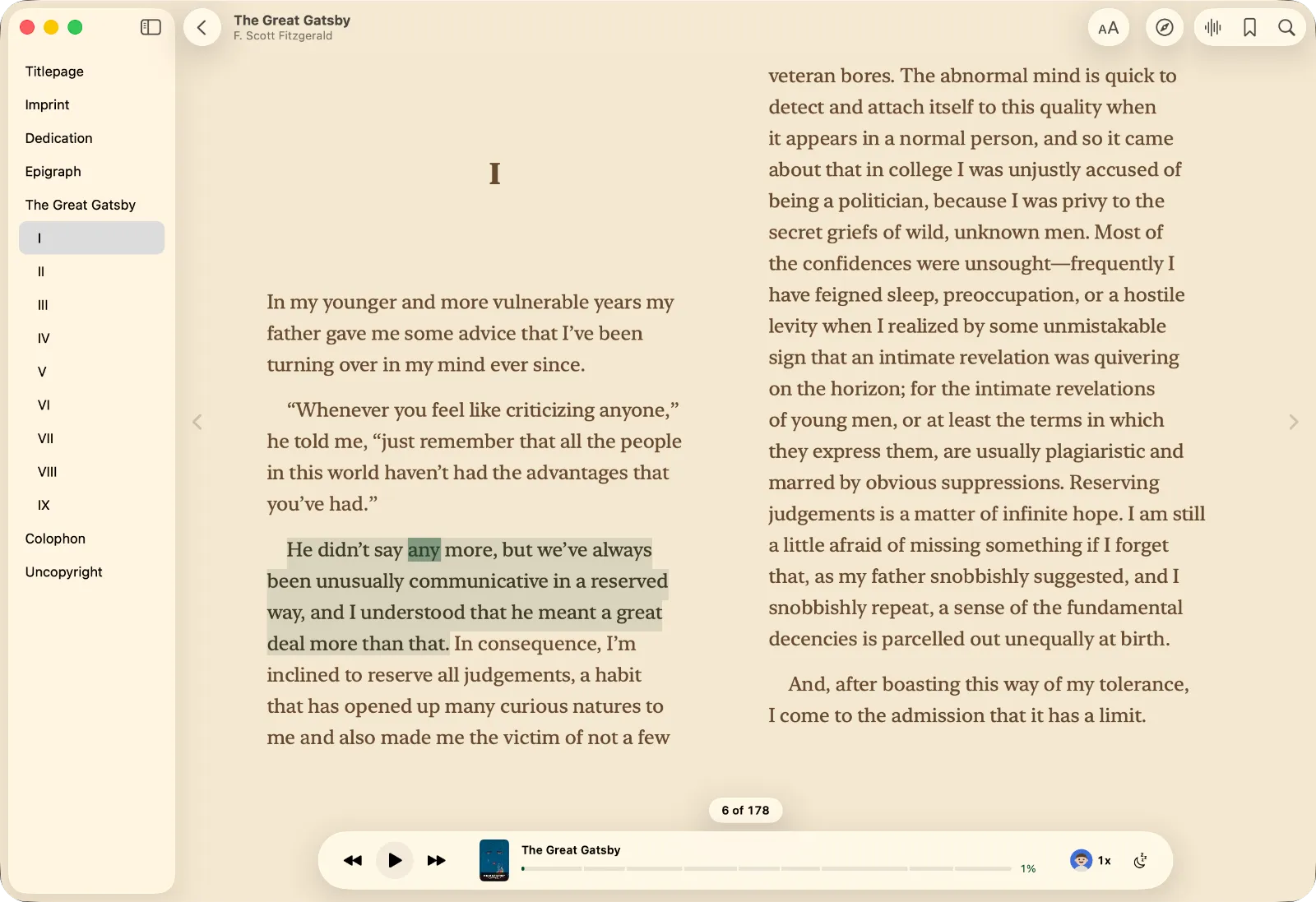
If a book has no audiobook edition, or you'd rather not buy it twice, you can have the ebook read to you. ONarrator opens a DRM-free EPUB on your Mac, iPhone, or iPad and reads it aloud with natural voices that run on the device, highlighting each word as it goes. It's free, and once the audio is generated it plays without a connection.
This guide covers which files work, where to find good free books, how to set up a book for long listening, and how to turn one into an audiobook file.
Which ebooks work
EPUB is the standard ebook format, and on its own it has no copy protection. Stores add it: Adobe's ADEPT system, for example, ties a book to a limited number of devices (Adobe Digital Editions). That protection is what decides whether another app can open the book.
| File | Opens in ONarrator? |
|---|---|
| DRM-free EPUB | Yes |
| EPUB with store DRM (Adobe, Apple Books purchases) | No |
| Fixed-layout EPUB (picture books, comics, some textbooks) | No |
| Kindle books | No, they use Amazon's own formats |
| PDF ebooks | Yes, as a PDF |
DRM-free books are easier to find than you might think. Some publishers sell their whole catalog without DRM; Tor and Forge, for example, have done so since 2012 (Tor.com). Many independent authors and small presses do the same, and public-domain books are free.
Good free books: Standard Ebooks and Project Gutenberg
Project Gutenberg is the oldest library of free public-domain ebooks, with more than 75,000 titles (Project Gutenberg). Quality varies, because the books were digitized over decades by many volunteers.
Standard Ebooks takes public-domain books and produces careful new editions. Each one is proofread against scans of the original pages and formatted to a modern style manual (Standard Ebooks). When a book is available from both, the Standard Ebooks edition is usually the better read.
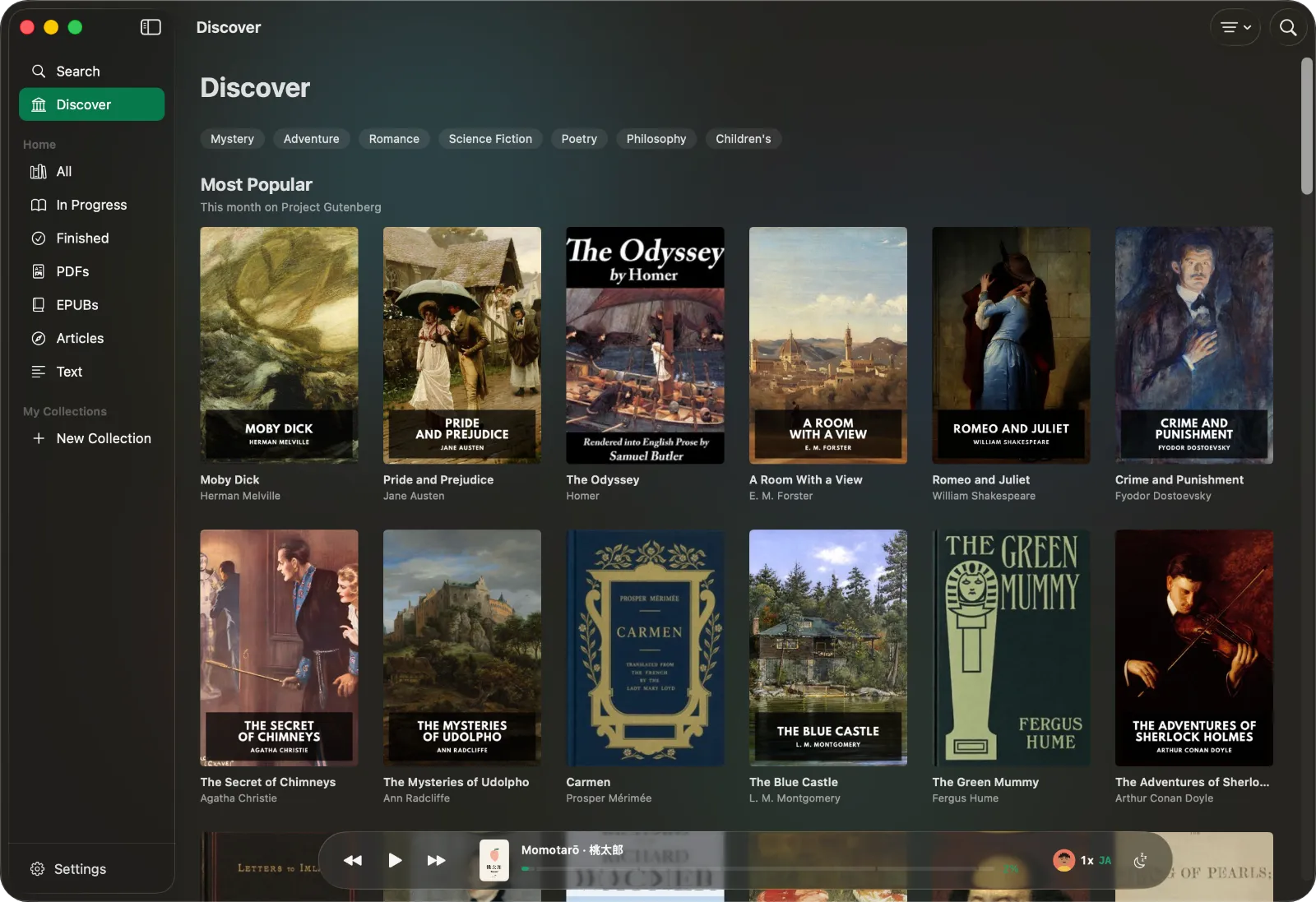
You don't have to visit either site. ONarrator's Discover tab searches both, and you can browse by subject, era, and language. Choosing a book downloads the EPUB into your library.
Set it up
- Add the book. Drag the EPUB into ONarrator, choose it from Files, or pick one in Discover. On a Mac you can add a whole folder of books at once.
- Choose a voice. There are 28 English HD voices, in American and British accents, and 10 Multilingual voices for books in other languages.
- Press play, or tap a sentence to start reading there. The spoken word is highlighted on the page.
- Generate the audio for a long trip. Generate Audio prepares the book ahead of time, so it plays offline and never pauses mid-sentence to catch up.
What makes a whole book comfortable to listen to
Reading a word aloud is easy. Getting through a 400-page novel by ear depends on smaller things.
- It picks up where you stopped. Each book reopens at the place you left it.
- Real page numbers. Pages are counted from how the book lays out on your screen, at your text size, so "page 214 of 388" stays meaningful.
- A sleep timer that stops at the end of a chapter. There are also 15, 30, 45, and 60 minute presets and a custom length from 5 to 120 minutes. The voice fades out instead of cutting off.
- Bookmarks and highlights. Mark a place or keep a passage, in five colors, with an optional note.
- A page you'd want to read. System, Paper, Sepia, or Night paper; serif, sans, or rounded type; paged or scrolling; and a column width that suits you.
Turn a book into an audiobook file
Once the audio is generated, you can export it as an M4B, the standard audiobook format. The file has the book's chapters, title, and author, so it opens in Apple Books or any audiobook player with its chapter list intact.
Export uses the audio that has already been generated. If only part of the book is ready, ONarrator offers to export that part.
How this compares with Apple Books
Apple Books can read some books aloud, with limits:
- Its Read Aloud button only appears in books that ship with recorded narration (Apple).
- On a Mac, Edit › Speech › Start Speaking reads any book with the system voice.
- On iPhone, Speak Screen (a two-finger swipe down from the top) reads one page at a time. Users report it reading the page number or title before each page and stopping at the end of a chapter (AppleVis).
Those tools are fine for a page or two. For a whole book, you'll want narration that keeps going, remembers your place, and works offline.
Will it sound like a human narrator?
No, and it's worth being clear about that. A good narrator performs a book: characters get voices, and jokes land. A neural voice reads clearly and evenly, and it keeps going at the same quality for hundreds of pages. That suits non-fiction, older classics, and anything that will never be recorded. A beloved novel with a great narrator is still worth the audiobook.
Questions
Can I listen to my Kindle books?
No. Kindle books use Amazon's own formats and DRM, and only Amazon's apps can open them.
Why won't a book I bought open?
It almost certainly has DRM. ONarrator can't open encrypted EPUBs. Books from DRM-free stores, publishers, and public-domain libraries open normally.
Does it work offline?
Yes. The voices run on your device. Generate the audio before you leave, and the whole book plays without a connection.
Can it read books in other languages?
Yes, in 31 languages. ONarrator detects the book's language and picks a voice that speaks it. More in listening in 31 languages.
Is it free?
Yes. No account, no subscription, and no ads.
For academic reading, see how to listen to research papers. For a side-by-side look at other read-aloud apps, read the comparison.