How to listen to research papers without the page clutter
Turn academic PDFs into audio that reads the argument, not the headers, page numbers, and references. What works, what still breaks, and how to set it up.
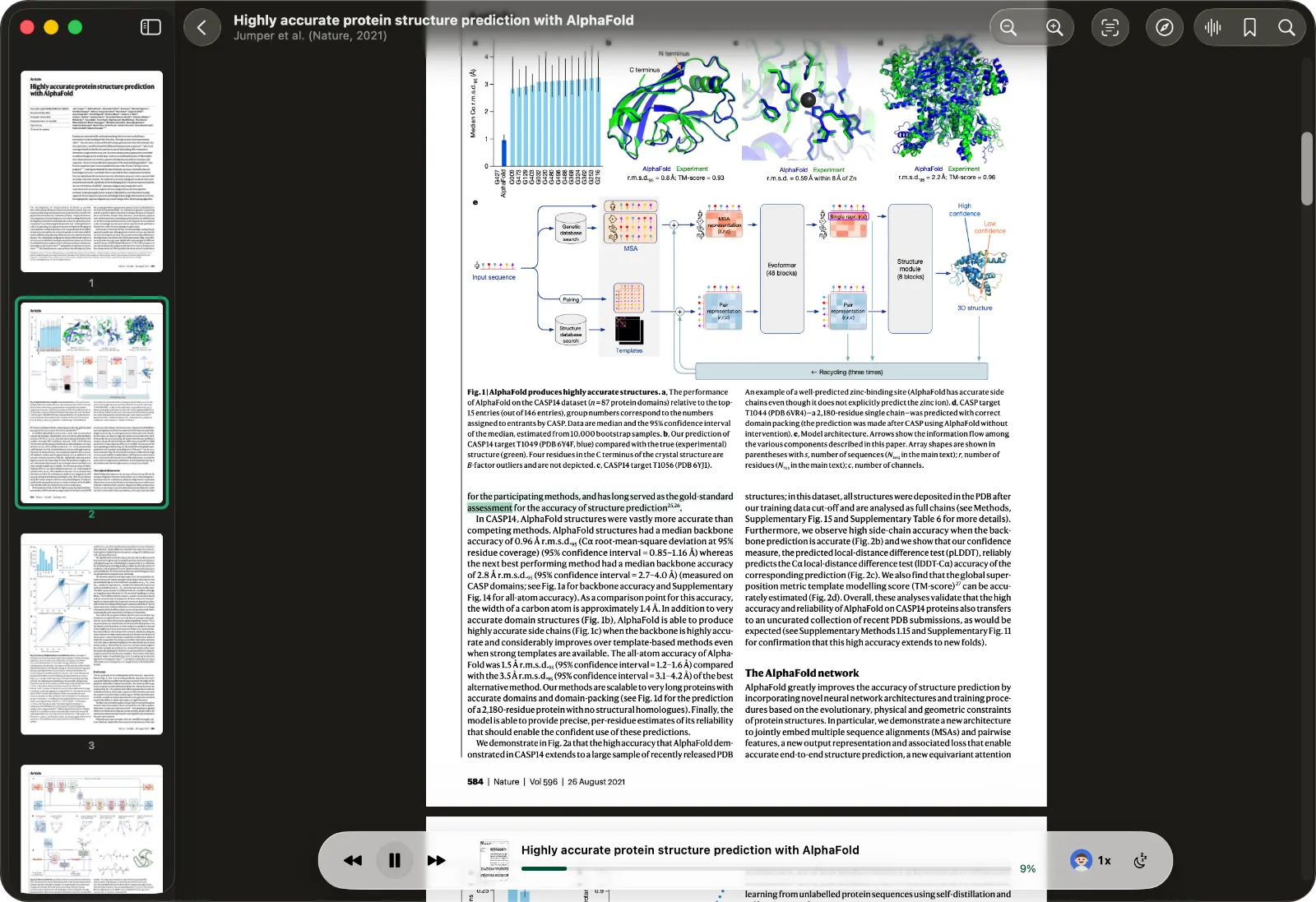
In short: ONarrator reads the paper itself and skips the headers, page numbers, captions, equations, and references, on your own device.
Any text-to-speech tool can read a PDF out loud. The trouble with research papers is that most of them read everything: the running header on every page, the page numbers, the figure captions, the equations, and twelve pages of references at the end.
ONarrator looks at each page first, works out which parts are the paper and which parts are layout, and reads only the paper. It runs on your Mac, iPhone, or iPad, without uploading the file anywhere. This guide covers how that works, how to set it up, and where it still falls short.
Why papers sound bad when read aloud
A PDF stores where to draw each piece of text on the page. It doesn't store what that text is. There is nothing in the file that says "this line is a footer" or "this number is a page number", so a simple reader reads it all, in the order it finds it:
...the resulting distribution is therefore stable. 4. Preprint. Under review. Figure 2: Overview of the pipeline.
That is a sentence, a page number, a running header, and a figure caption, read as one breath. Over a twenty-page paper it becomes hard to follow.
Most tools leave the cleanup to you. Speechify's web app, for example, has "Skip Content" checkboxes for headers, footers, citations, and URLs that you set yourself (Stanford OAE). The Mac's built-in Speak Selection reads whatever you select, or the whole front window (Apple).
What ONarrator reads, and what it skips
Before it reads a PDF, ONarrator runs a layout model on each page, on your device. Every block on the page gets a label, and the label decides whether it is spoken.
Read aloud: the title, section headings, the abstract, body text, and lists.
Skipped by default:
- running headers and footers
- page numbers
- figures and their captions
- tables
- displayed equations
- the reference list
- side notes in the margin
Each of these is a switch, under Headers & footers, Page numbers, Captions, Tables, Formulas, References, and Footnotes & asides. You can set them once for your whole library or change them for a single paper. If you want the captions read for one figure-heavy paper, turn Captions on for that paper only.
Two details are worth knowing:
- The first open can read everything. The layout pass takes a moment on a new PDF. If you press play straight away, it may narrate the whole page until the pass finishes. Reopen the paper and it reads the clean version from then on.
- When it isn't sure, it reads. A page it can't classify is narrated in full rather than skipped. Hearing a stray page number is a small cost. Losing two paragraphs of a method section without noticing is a big one.
Set it up
- Add the paper. Drag the PDF into ONarrator, or choose it from Files. On a Mac you can add a whole folder, which becomes a collection.
- Press play, or tap a sentence. Narration starts wherever you tap, and the spoken word is highlighted as it goes.
- Pick a speed. Anywhere from 0.5× to 2×, in steps of 0.1, with one-tap presets at 0.8, 1, 1.3, 1.5, and 2.
- Generate the audio before you leave. Generate Audio prepares the whole paper ahead of time, so it plays without a connection and never pauses to catch up.
If you'd rather listen in another app, you can export the generated audio as an M4B audiobook file. Chapters come from the paper's table of contents; a PDF without one gets a marker for each page.
Scanned papers and older PDFs
Older papers are often scans: pictures of pages with no text in them at all. ONarrator notices a page with no text layer and recognizes the text with Apple's Vision framework, on the device. The recognized page is then read like any other.
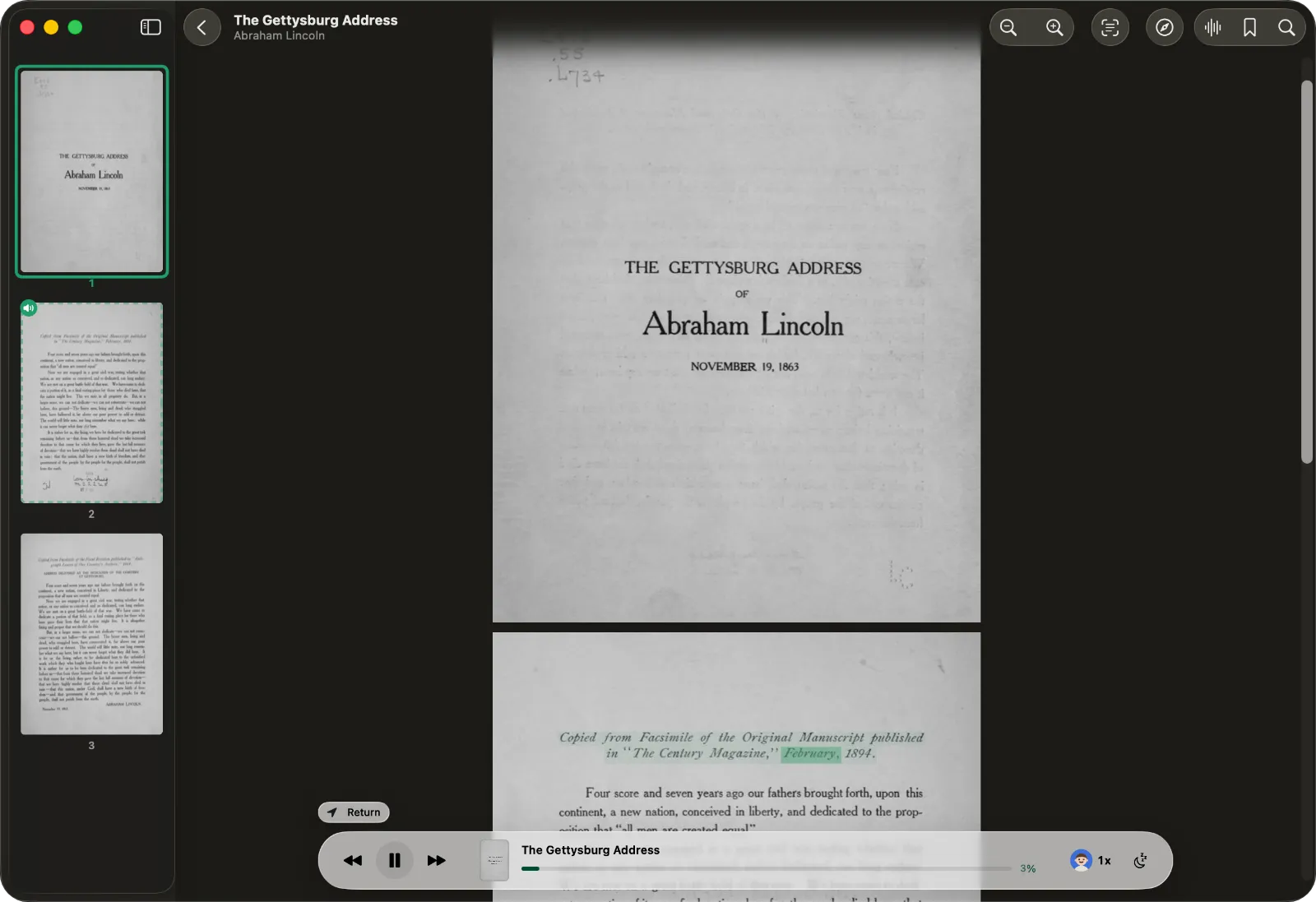
Two limits: recognition runs while the app is open, not in the background, and Vision doesn't read Hindi, Greek, Hebrew, or Bengali. Pages in those scripts are marked as unreadable instead of being narrated as gibberish.
What still goes wrong
Two-column papers can read out of order. ONarrator reads the blocks on a page from top to bottom, then left to right. It doesn't yet reorder a page into columns, so on some two-column conference papers the narration can jump from the left column to the right one too early. The words are right; the order isn't. This is the most common problem you'll hear.
Math inside a sentence is read as symbols. Displayed equations are skipped, but a formula in the middle of a sentence is spoken character by character. This is a common problem: a 2025 study of read-aloud tools found that Edge and Adobe Acrobat "sometimes skip contents or provide unsatisfactory results" on math (MathReader, arXiv).
In-text citations are read. The reference list is skipped, but a bracketed citation like "[12]" is part of the sentence, so you'll hear it.
If a PDF's layout gets in the way, check whether the paper has an HTML version. Since December 2023, arXiv has offered HTML versions of papers submitted in LaTeX, as an accessibility measure; a few papers don't convert (arXiv). Paste the HTML link into ONarrator and it usually imports as an article, in a single column.
Is listening as good as reading?
For understanding what a paper says, mostly yes. A 2022 meta-analysis of 46 studies found no reliable difference in comprehension between reading and listening overall. Reading came out ahead in two cases: when readers could set their own pace, and when the questions asked for inference rather than recall (Clinton-Lisell, Review of Educational Research).
That suggests a practical split:
- Skim on screen. Deciding whether a paper is worth your time means jumping between the abstract, the figures, and the conclusion. Audio can't do that.
- Listen for the full read. Once a paper is worth an hour, listening gets you through the argument on a walk or a commute.
- Go back to the screen for the hard parts. Figures, equations, and anything you need to think through. Following the highlighted text while you listen also helps here.
On speed: adults read non-fiction silently at about 238 words per minute (Brysbaert, 2019), while audiobook narrators average about 155 (ACX). So listening at around 1.5× is roughly reading speed. Many people settle a little lower for dense material.
Keeping unpublished work private
Drafts, manuscripts under review, and papers you are refereeing shouldn't leave your computer. In ONarrator they don't: the layout pass, the text recognition, and the voice all run on your device. There is no account, and the app has no analytics. If you use a different tool, check where it processes your file before you give it a confidential PDF.
Questions
Does it read equations?
No. Displayed equations are skipped by default, and nothing is converted into spoken math. Math written inline, in the middle of a sentence, is read as raw symbols.
Can it skip citations and references?
The reference list is skipped by default. Citation markers inside sentences, like "[12]" or "(Smith, 2020)", are read, because they are part of the sentence.
Does it work on iPhone and iPad?
Yes. The iPhone and iPad app has the same layout pass, voices, and settings as the Mac app.
Can I turn a paper into an audio file?
Yes. Generate the audio, then export it as an M4B audiobook with chapter markers. M4B is the standard audiobook format, so it opens in Apple Books and most audiobook players.
What does it cost?
Nothing. ONarrator is free, with no account and no subscription.
For books rather than papers, see how to listen to an ebook you already own. To see how ONarrator compares with other read-aloud apps, read the comparison.