Text to speech in 31 languages, offline on Mac and iPhone
ONarrator reads documents in 31 languages with natural voices on your device. How it picks the language, handles books that mix languages, and where it falls short.
In short: The document decides the language, each sentence is read in its own, and all 31 languages work offline with nothing to download.
ONarrator reads PDFs, EPUBs, articles, and text aloud in 31 languages. You don't choose the language: it reads the document's text, decides what language it's in, and uses a voice that speaks it. The voices run on your Mac, iPhone, or iPad, so it all works offline, and nothing needs downloading first.
This guide lists the languages, explains how books that mix two languages are read, and is honest about what still isn't good enough.
The 31 languages
Arabic, Bulgarian, Croatian, Czech, Danish, Dutch, English, Estonian, Finnish, French, German, Greek, Hindi, Hungarian, Indonesian, Italian, Japanese, Korean, Latvian, Lithuanian, Polish, Portuguese, Romanian, Russian, Slovak, Slovenian, Spanish, Swedish, Turkish, Ukrainian, and Vietnamese.
Chinese, Hebrew, and Thai aren't on the list yet. A document in a language outside the 31 is read with Apple's built-in system voices instead.
Two sets of voices
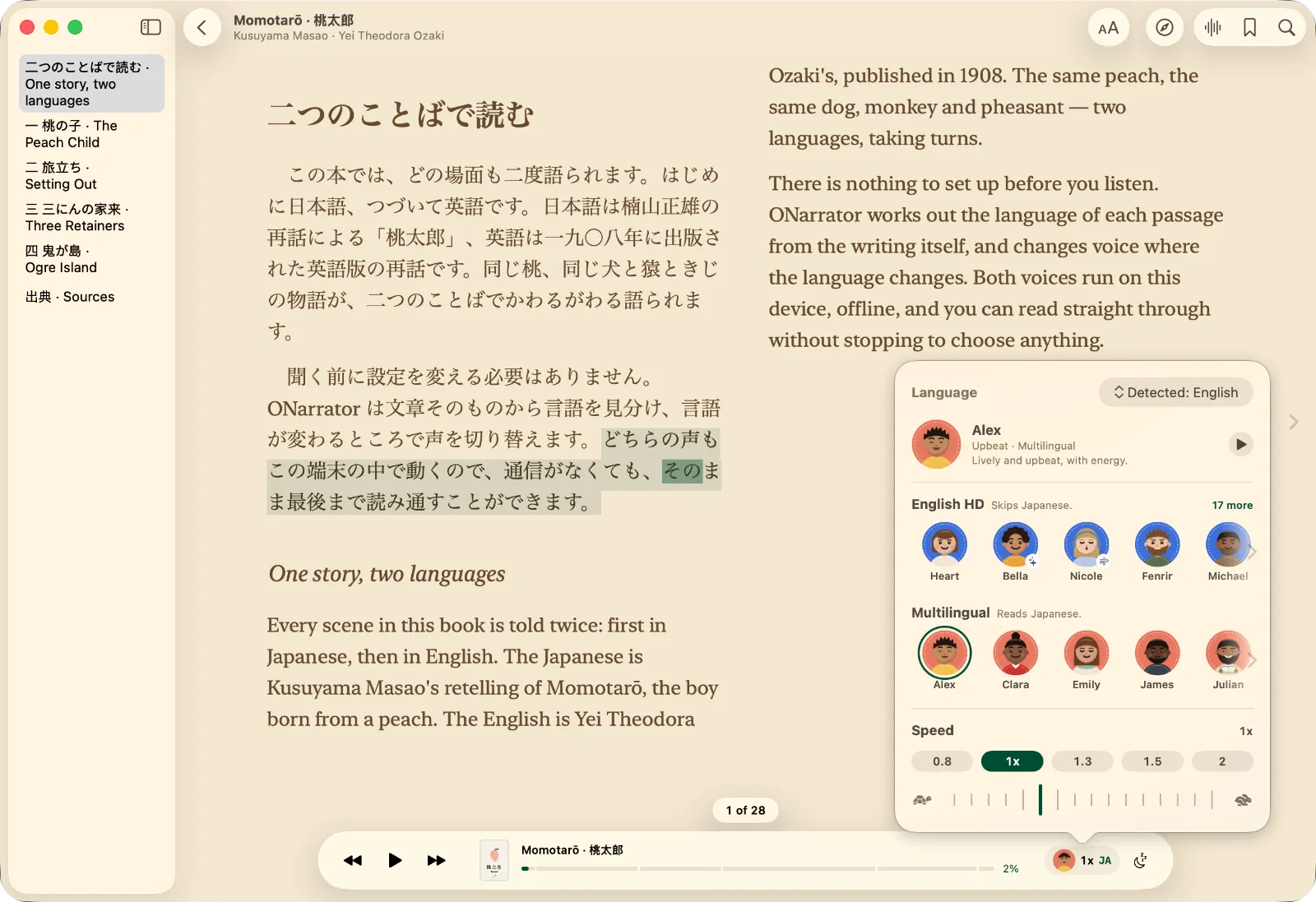
- English HD has 28 English voices, with American and British accents. The word highlighting is timed from the audio itself, so it lands on the word being spoken.
- Multilingual has 10 voices, and each one speaks all 31 languages. Highlighting is estimated from the text, so it can run slightly ahead of or behind the voice.
Both ship inside the app. On iPhone 17 models, English is read by the Multilingual voices too.
How it picks the language
When you add a document, ONarrator samples text from across it and identifies the language using Apple's language recognition, on the device. A German PDF is read in German and a Japanese EPUB in Japanese, with no setting to change.
It can guess wrong when a document mixes languages unevenly: a paper with a long English abstract and a short German body, say. You can set the language yourself for that document, and it stays set.
Books that mix languages
Bilingual editions, language textbooks, and novels with passages in another language are where most read-aloud tools break down. ONarrator decides the language of each sentence, not just the book.
What you hear depends on the voice reading the book:
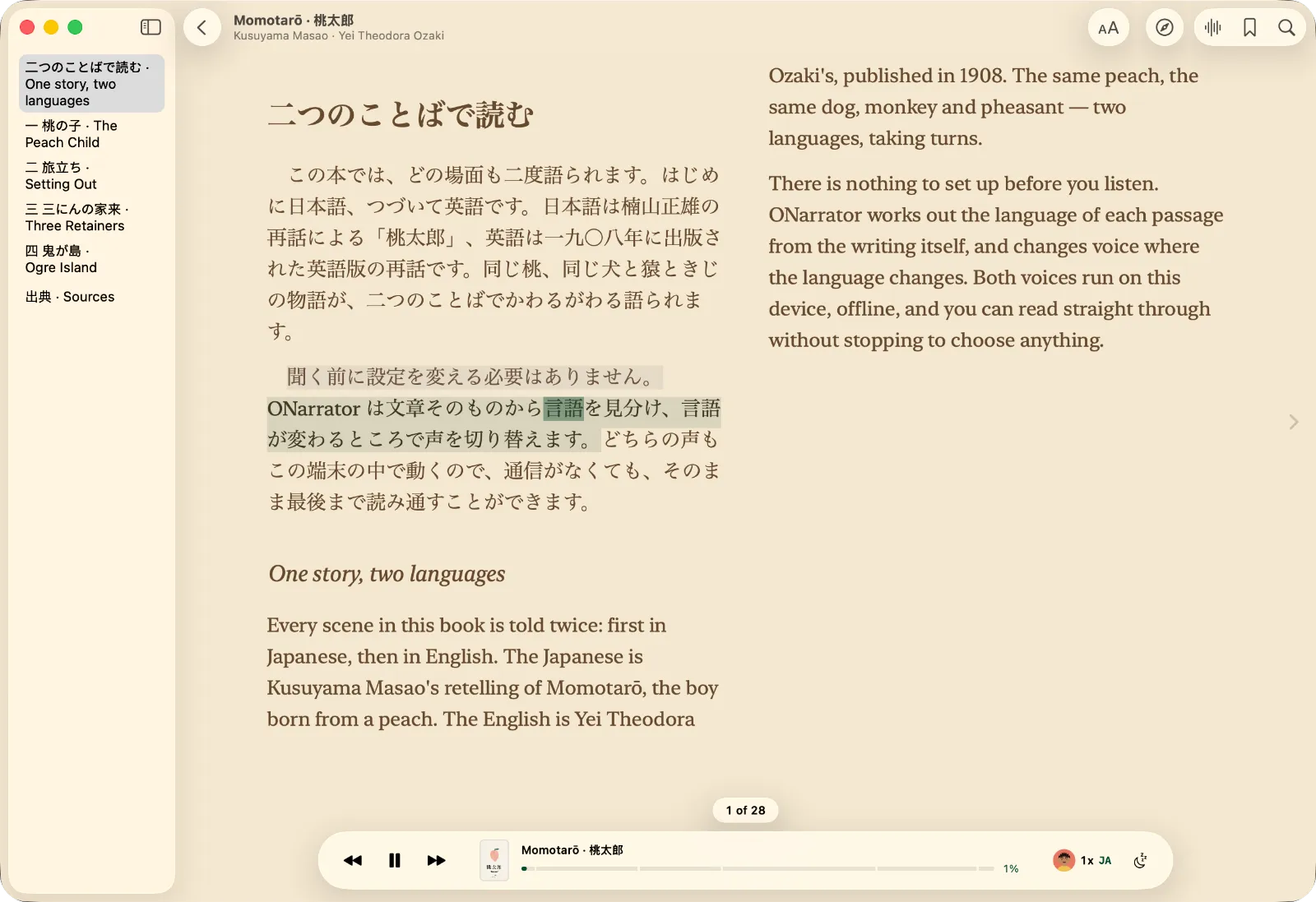
- The Multilingual voice reads each sentence in its own language. In a Japanese and English edition, it switches as the text does.
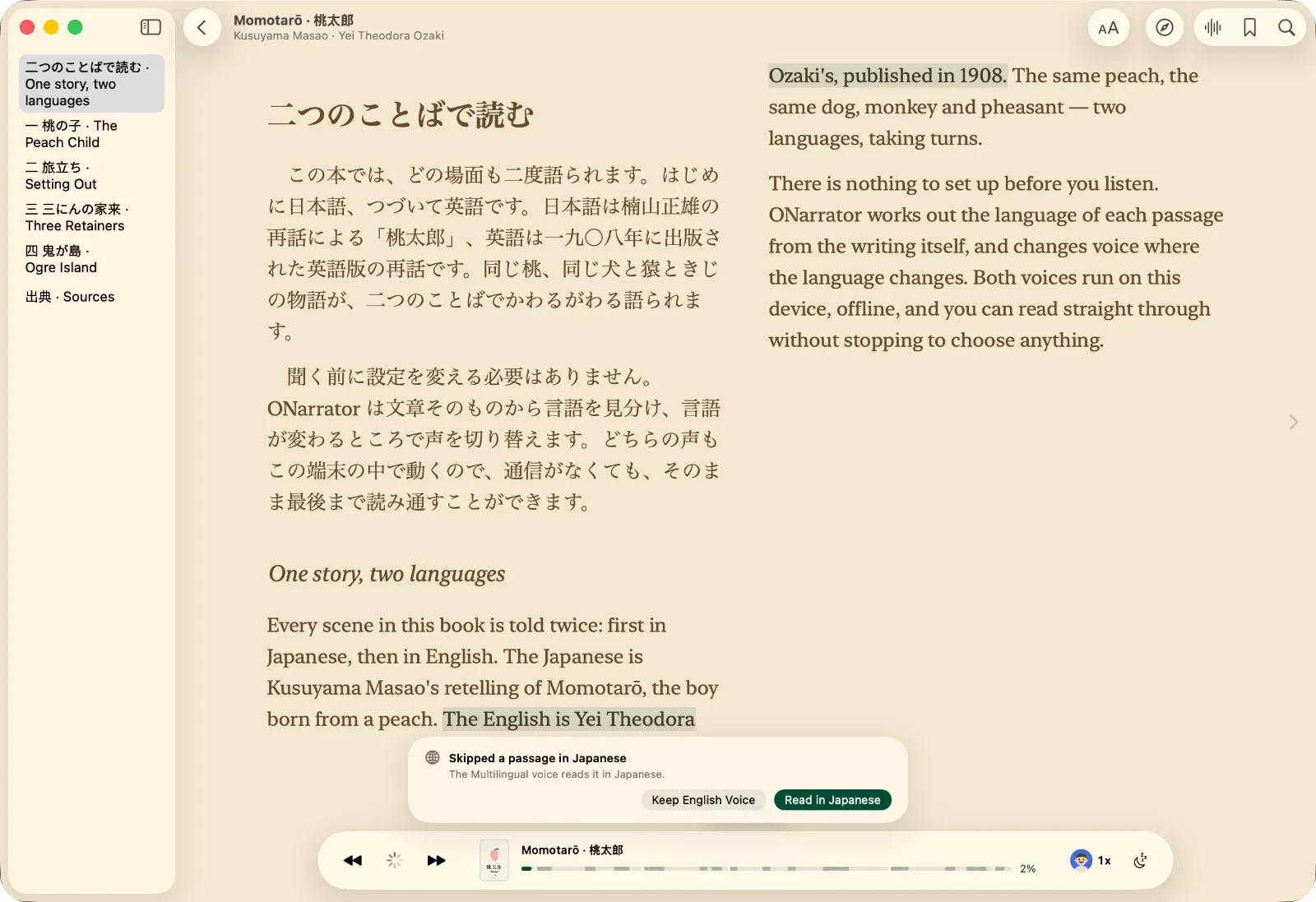
- An English HD voice speaks only English. It reads a sentence in another language that uses the same alphabet, like French, with an English accent. It skips a sentence in a different script, like Japanese, rather than mangling it.
So you don't have to work this out yourself, ONarrator asks. When you press play on an English book that has a real share of another language (more than 2% of the text), it tells you what it found, for example "This book has Japanese in it", and offers the Multilingual voice. It asks once, and remembers your answer for that book.
If the English voice skips a passage while you listen, a short note says so and offers to read it in that language instead.
What still isn't good enough
- A foreign word or two inside an English sentence. A short run in another script, like a Japanese name in the middle of an English sentence, is left out of the speech. It stays on the page. Reading it in the same breath garbled the English around it.
- Long sentences full of names. The Multilingual voice is weakest on long sentences dense with transliterated names. They stay understandable but carry an accent.
- Scanned pages in some scripts. Text recognition for scanned PDFs uses Apple's Vision framework, which doesn't read Hindi, Greek, Hebrew, or Bengali. Those pages are marked as unreadable rather than read badly.
Using it to learn a language
Reading along while you listen is a popular way to study, and the highlighting makes it easy to follow. The research is more mixed than the advice usually suggests:
- A 2023 meta-analysis of 30 studies found that reading while listening helped comprehension when the pace was set for the reader, but showed no reliable benefit when readers set their own pace. It also found too few studies to say much about learning second-language vocabulary (Clinton-Lisell, 2023).
- A small 26-week study of learners of English found larger vocabulary gains in the group that read while listening than in the group that only read (Chang, 2011). It had 19 students, so treat it as a hint rather than proof.
In practice:
- Let the voice set the pace. That's the condition where the research found a benefit.
- Slow down. Speed goes as low as 0.5×. Slightly below comfortable is a good start.
- Find books at your level. Discover filters public-domain books by language, so you can find books in the language you're learning.
Questions
Does it work offline in every language?
Yes. Both voice sets run on your device and ship with the app.
Do I have to download a language?
No. All 31 languages work as soon as you install the app.
Can I set the language myself?
Yes, per document. The app remembers it.
Does it read Chinese?
Not with its own voices yet. Chinese documents are read with Apple's system voices.
How does this compare with other apps?
ElevenReader lists 32 languages (ElevenLabs), and Speechify's App Store listing claims 32 (App Store), as of October 2026. ONarrator's 31 run entirely on your device and are free. There's a longer side-by-side in the comparison.
For papers and textbooks, see how to listen to research papers. For books, see how to listen to EPUB ebooks you already own.