ONarrator at a glance
ONarrator is a free text to speech app for Mac, iPhone, and iPad that reads PDFs, EPUBs, web articles, and text aloud on your device, with no account.
Price
- Price
- Free on the App Store, on Mac, iPhone, and iPad.
- Subscription
- None.
- Ads
- None.
- Account
- None. There is nothing to sign up for.
- Tips
- Optional one-time tips. A tip unlocks no features; everything is free.
Devices
ONarrator is one app with two App Store listings: one on the Mac App Store, and one on the App Store for iPhone and iPad. Both are free, with the same reader and voices.
- Mac
- macOS 26 or later.
- iPhone
- iOS 26 or later, including the two screens of iPhone Duo.
- iPad
- iPadOS 26 or later.
- Mac App Store listing
- ONarrator: Offline Reader
- App Store listing for iPhone and iPad
- ONarrator: Offline Read Aloud
- Category
- Productivity, and Books.
- Age rating
- 4+.
What it reads
Files are added from the New Reading screen, where you can also paste a link or text, or sent to ONarrator from other apps.
- PDFs
- Choose a file, or drag it in. Scanned pages, which are pictures of text, are recognized on the device and read like any other page.
- EPUB books
- Choose a file, or drag it in. Chapters, images, and the publisher's formatting are kept.
- Word files
- Choose a .docx file, or drag it in. It is turned into a PDF on the device and read like one.
- Text files
- Plain .txt files, chosen or dragged in.
- Web articles
- Paste the link to a public web page. ONarrator extracts the article and reads it.
- Pasted or typed text
- Pasted Markdown is detected, and its headings can become a table of contents.
- Folders
- Choose a folder, and its PDFs, EPUBs, Word files, and text files are added as one collection.
- From other apps
- Send a web page, PDF, EPUB, or text to ONarrator from Safari or another app's Share menu, or open a PDF, EPUB, or text file with it. On the Mac, ONarrator is turned on once from the Share menu's Edit Extensions.
- Free books
- Discover, inside the app, offers public-domain books from Project Gutenberg and Standard Ebooks.
It does not open older .doc Word files, RTF, HTML or Markdown files, Kindle books, EPUBs with DRM, images, and photos. It has no camera scanning.
Voices and languages
- Voices
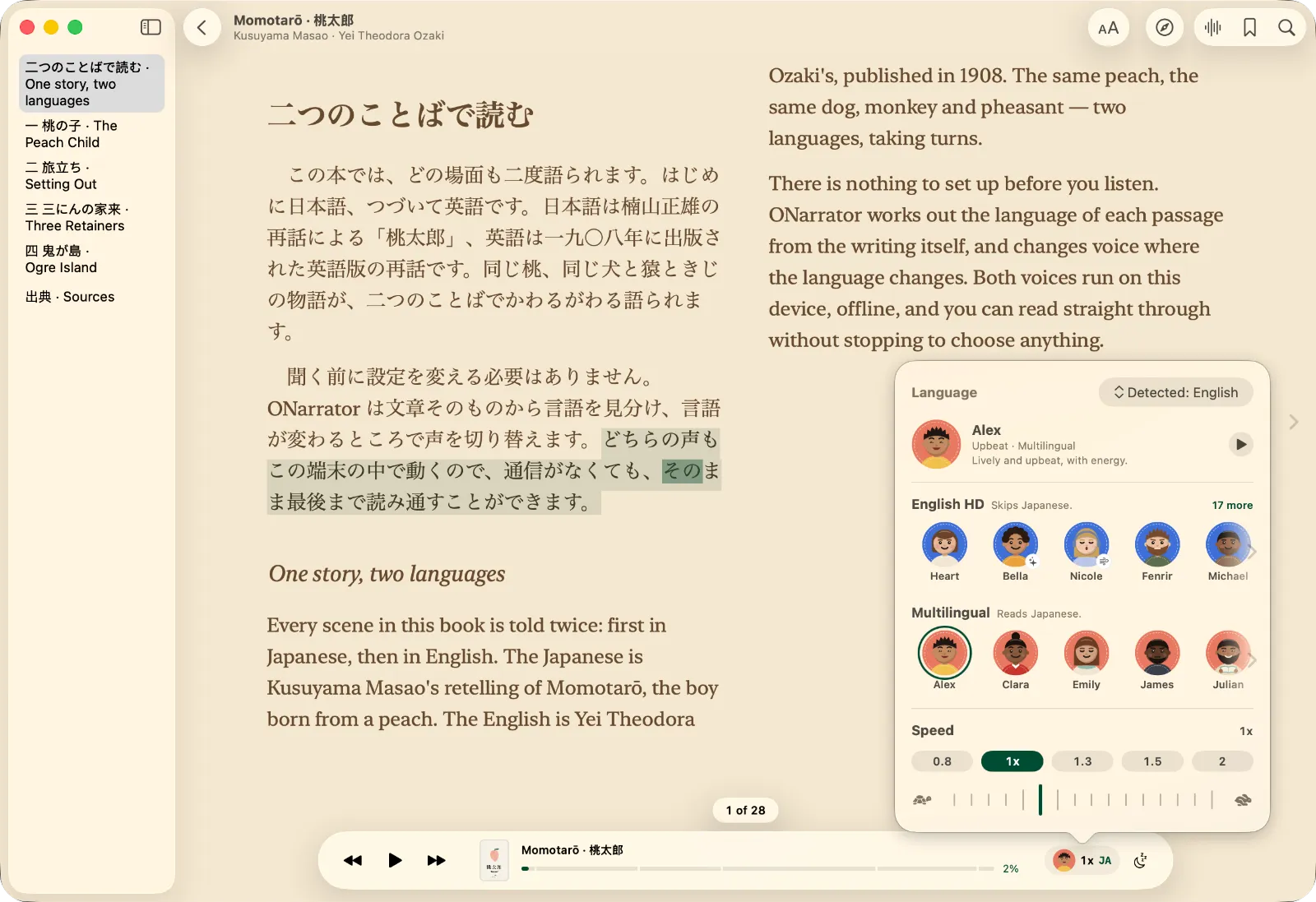
- 38, all built into the app: 28 English HD voices (20 American English and 8 British English) and 10 Multilingual voices.
- English HD
- Kokoro-82M by hexgrad, an open model under the Apache 2.0 license.
- Multilingual
- Supertonic by Supertone, an open model under the OpenRAIL-M license. Each voice speaks all 31 languages.
- Choosing the language
- ONarrator detects the language of each document on the device. A book that mixes languages is read passage by passage, each in its own language.
The 31 languages
Arabic, Bulgarian, Croatian, Czech, Danish, Dutch, English, Estonian, Finnish, French, German, Greek, Hindi, Hungarian, Indonesian, Italian, Japanese, Korean, Latvian, Lithuanian, Polish, Portuguese, Romanian, Russian, Slovak, Slovenian, Spanish, Swedish, Turkish, Ukrainian, Vietnamese.
Not supported: Chinese, Hebrew, Thai, and every other language outside the 31. A document in one of them is read with Apple's built-in system voices instead.
What stays on your device
- Your documents, the audio made from them, your reading progress, and your bookmarks and highlights stay on your device.
- Speech is made on the device. The voices, the layout model behind Smart Reading, and text recognition for scanned pages all run there.
- The voices ship inside the app, so nothing has to download before you listen, and a document in your library plays with no connection.
- The app has no account, no analytics, no ads, and no tracking.
What uses the network
- Web articles
- Your device loads the page straight from the site you linked to.
- Discover
- Searching and browsing ask a catalog service for book listings, and a short list of Standard Ebooks editions comes from onarrator.com. A book and its cover download straight from Project Gutenberg or Standard Ebooks.
- Tips
- A tip is paid through the App Store.
Details are in the privacy policy.
Main features
- Word highlighting
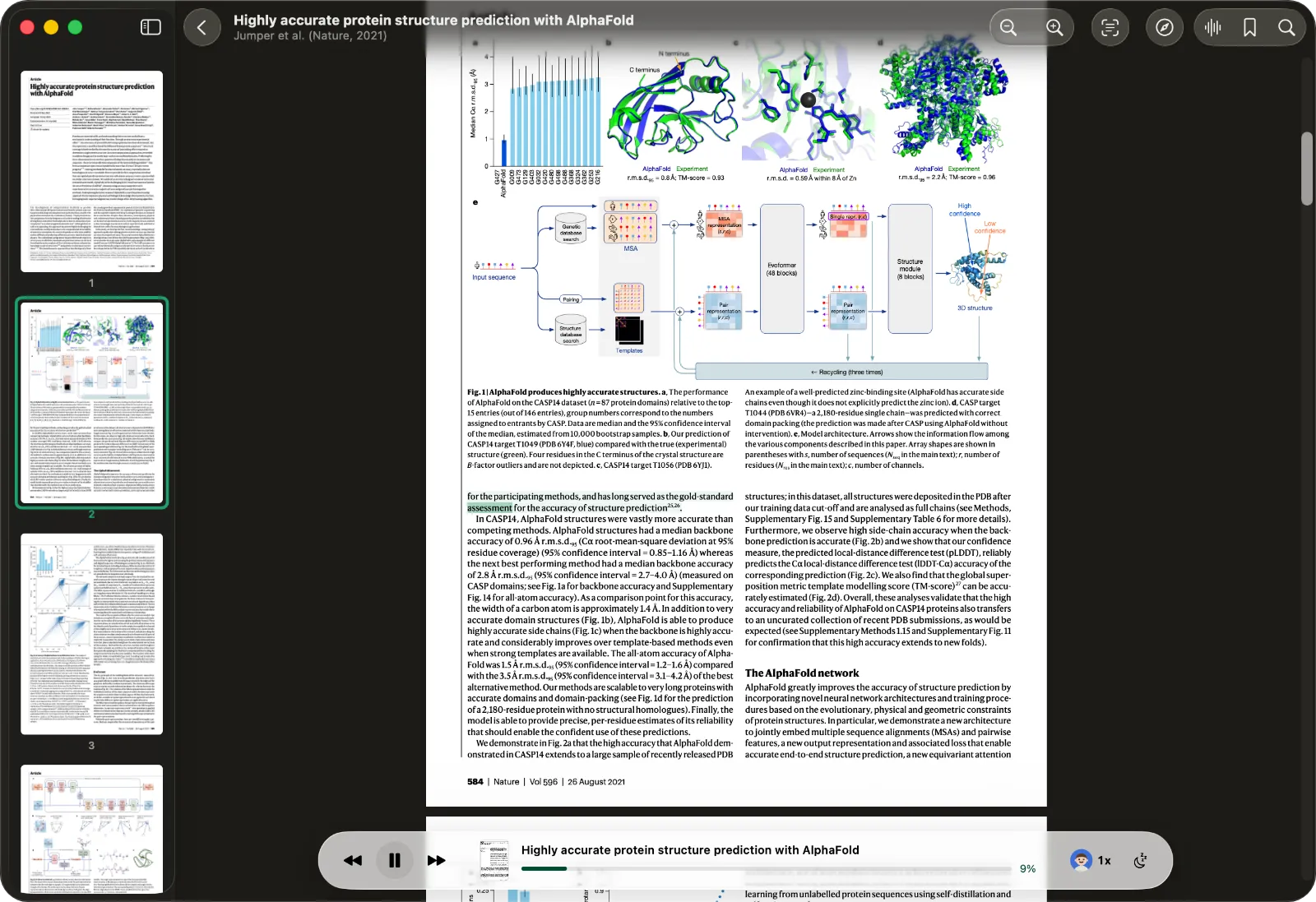
- Each word is highlighted as it is spoken. Tap or click a sentence to play from it.
- Smart Reading for PDFs
- Built for reading research papers. An on-device layout model skips running headers and footers, page numbers, figures and captions, tables, displayed equations, reference lists, and footnotes and margin notes. Numbered citations like [12] are left out of the speech. Each is a switch.
- Speed
- 0.5× to 2×, in steps of 0.1.
- Sleep timer
- 15, 30, 45, or 60 minutes, any length from 5 to 120 minutes, or the end of the chapter.
- Generate Audio
- Prepares a whole document ahead of time, so it plays offline and never stops to catch up.
- Audiobook export
- Generated audio exports as an M4B audiobook with chapters: a book's own chapters, an article's headings, or one chapter per page for a PDF.
- Background playback
- Keeps playing while you use other apps, with controls on the Lock Screen and in Control Center on iPhone and iPad, and in Control Center and on the media keys on Mac.
- Bookmarks and highlights
- Mark a place or keep a passage, and find it again later.
- Share Passage
- Select a passage and share it as a card in a theme you pick, or as a short video of it read aloud.
- Your Reading
- Home shows this week's listening and reading time. Your Reading adds the month and the books finished this year.
- Search
- Library search looks in titles, authors, and the text of articles and pasted text. Find searches inside the open document.
- Collections
- Group documents into collections of your own.
- Discover
- Public-domain classics, with the Standard Ebooks edition when one exists.
Limits
- Two-column PDF pages can read out of order.
- Math inside a sentence is read as symbols. Displayed equations are skipped.
- A new PDF can be read in full, headers and all, until its layout pass finishes on first open.
- Scanned pages in Hindi or Greek are not recognized.
- Article extraction does not work on every web page.
- Highlighting with the Multilingual voices is estimated from the text, so it can run slightly ahead of or behind the voice.
- In a passage in a Latin-alphabet language, a run of two or more letters in another script is left out of the speech. It stays on the page and in search.
- On iPhones with an A19 chip or newer (the iPhone 17 models, iPhone Air, and later) and iPads with an M4 chip or newer, English is read by the Multilingual voices.
- There is no sync between devices. Each device keeps its own library.
- Audiobook export is M4B only.
Latest version
Version 1.2, released on , on Mac, iPhone, and iPad.
Narration
- Numbers, dates, percentages, units, and Roman numerals are read correctly.
- Citations are skipped in research papers. You can turn this off in the skip menu.
- Abbreviations like “Fig.” and “Eq.” are read as words.
- Plain-text books no longer pause at every line break.
Reading
- Margins: Small, Medium, or Large.
- Text alignment: left, center, right, or justified.
iPhone Duo
- Open, books show two pages side by side, and the highlight moves across both.
- Half open, no text falls in the fold.
- Closed, you keep reading on the outer screen, and narration carries on when you fold or unfold.
Who makes it
ONarrator is made by an independent developer.
Press kit
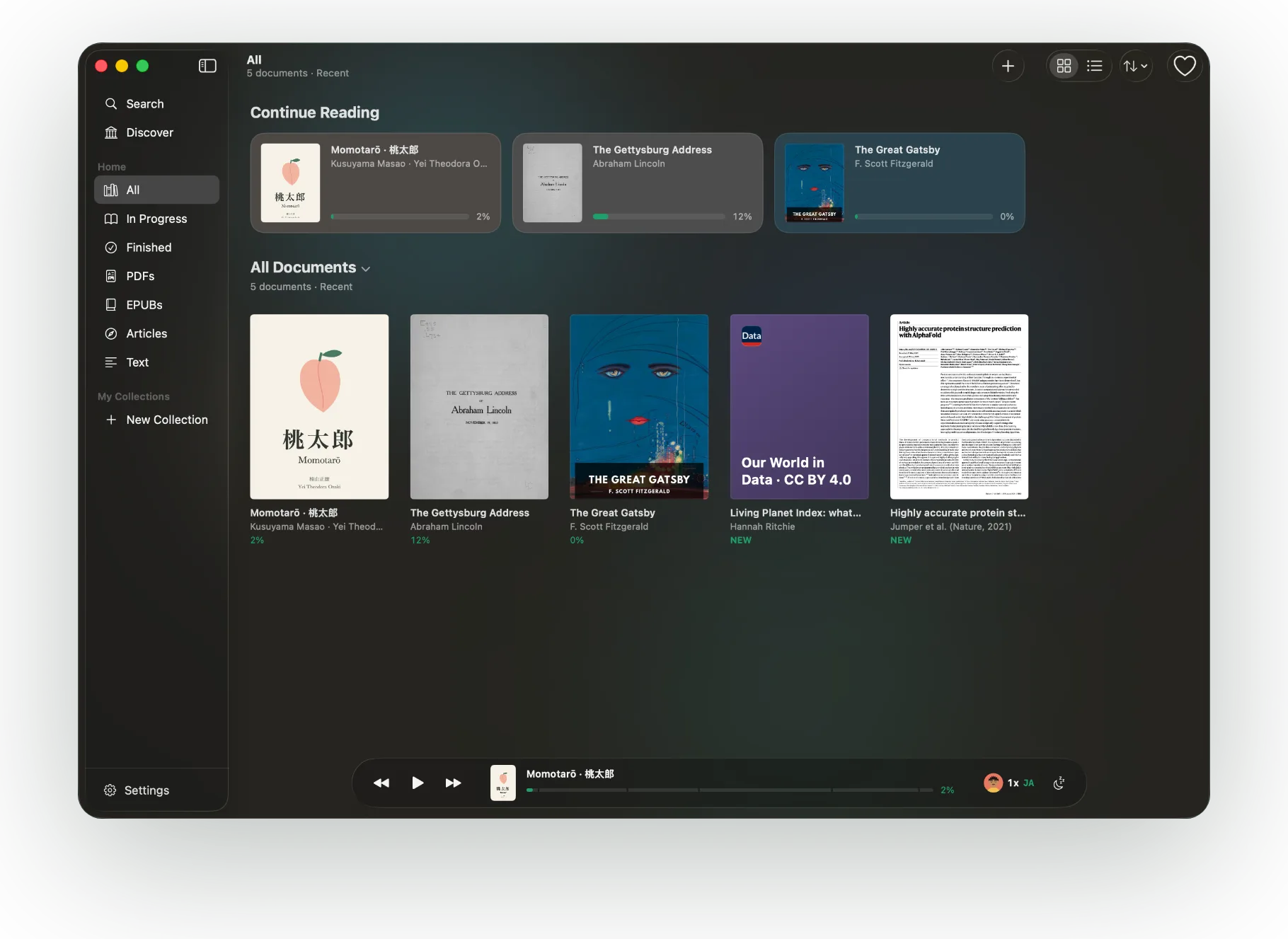
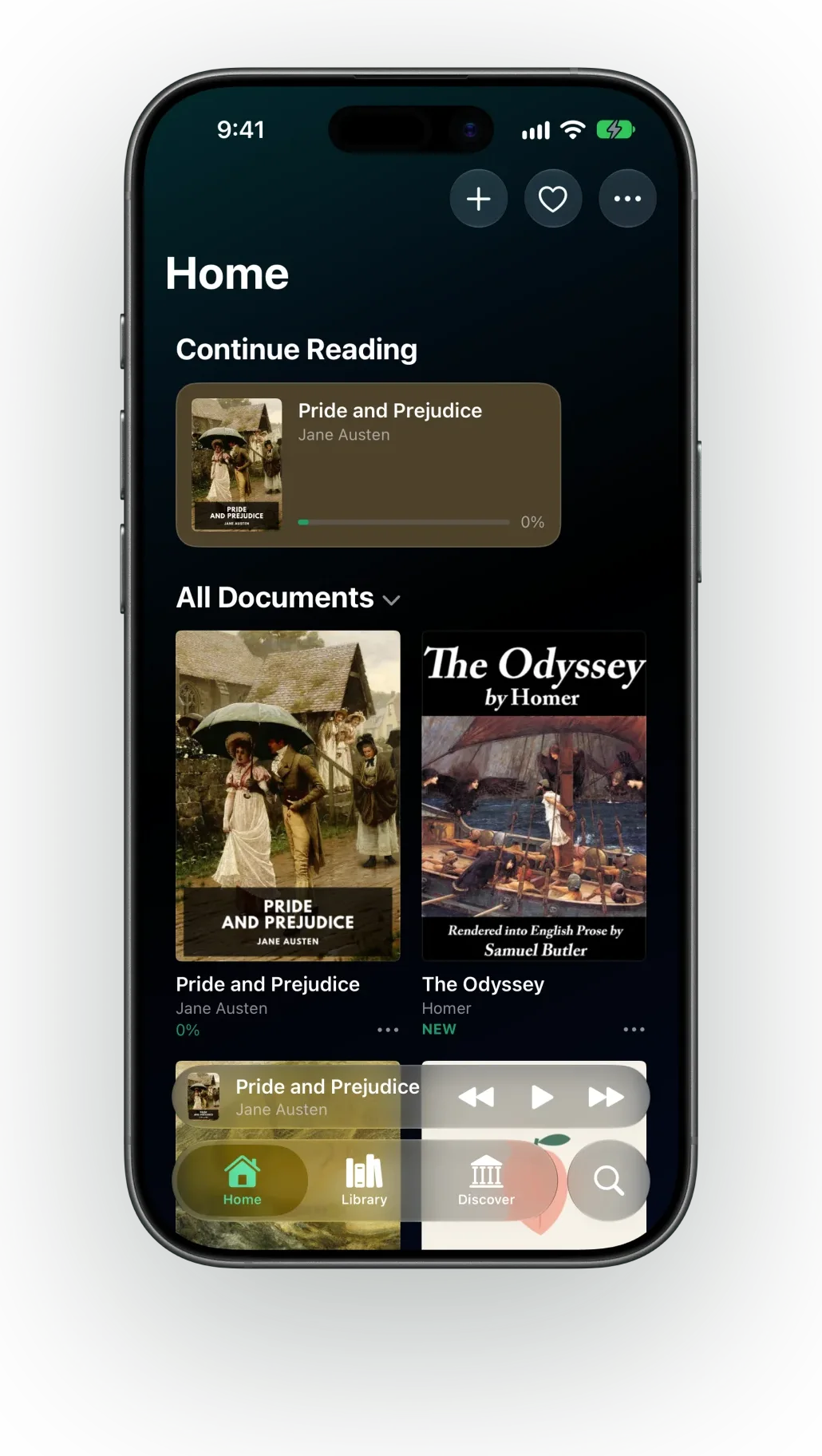
Write the name as ONarrator: one word, with a capital O and a capital N. The images below may be used to write about the app.
Contact: help@onarrator.com
Facts checked
Every fact on this page was checked against version 1.2 of the app on .
Get ONarrator
Free on Mac, iPhone, and iPad.
No account, no subscription, and no ads.